
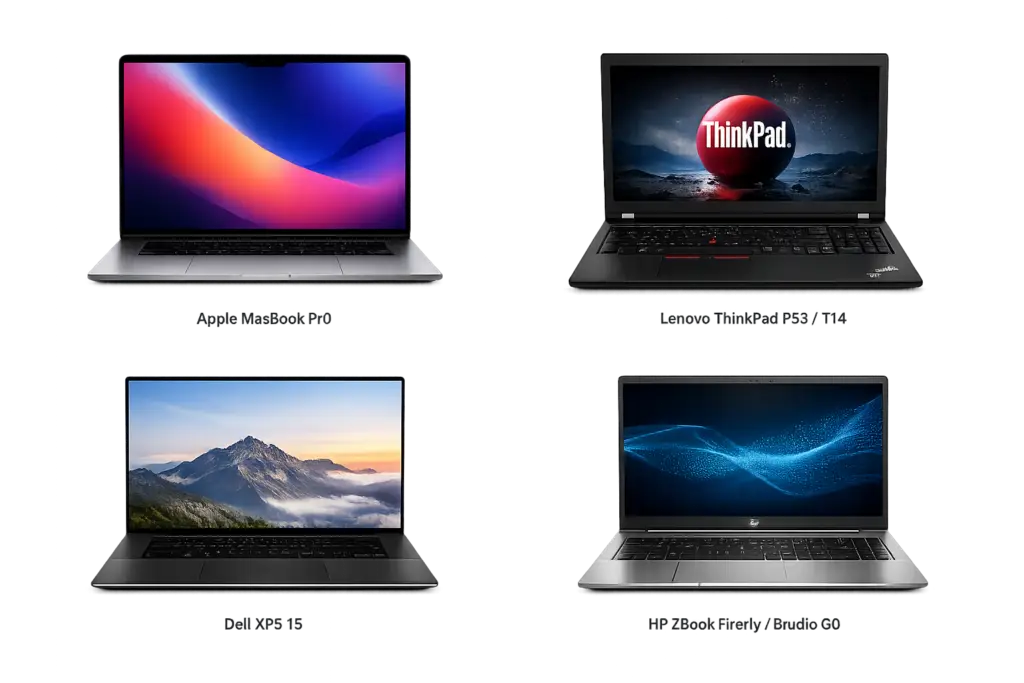
Ultimate Guide: Best Used Laptops for Coding & Video Editing (2026)
Are you a programmer, graphic designer, or video editor looking for a high-performance machine but tight on budget? Buying a brand-new flagship laptop can burn a massive hole in your pocket. Fortunately, the used laptop market offers an incredible alternative.
With a Used machine, you can easily own a premium, enterprise-grade laptop at 40% to 60% less than its original retail price. Let’s dive into the ultimate guide to picking the best used laptops that handle heavy coding and rendering like a breeze.
Why Buying Refurbished Makes Perfect Sense
- Unbeatable Value: Get high-end specs (like Intel Core i7 or 16GB RAM) at the price of a brand-new entry-level budget laptop.
- Eco-Friendly Choice: Buying used extends the life of electronics and reduces e-waste, making it a sustainable choice for creators.
- Rigorous Testing: Professional refurbishers test, clean, repair, and certify these laptops before resale to ensure they function like new.
Power Checklist: Specs You Need for Heavy Workloads
Don’t buy blindly! Make sure your chosen used laptop hits these baseline specifications:
| Component | Minimum for Coding & Development | Minimum for Video Editing & Graphics |
| Processor (CPU) | Intel Core i5 / AMD Ryzen 5 (8th Gen+) | Intel Core i7 / AMD Ryzen 7 |
| Memory (RAM) | 8 GB (16 GB strongly recommended) | 16 GB or 32 GB |
| Storage | 256 GB SSD | 512 GB / 1 TB NVMe SSD |
| Graphics (GPU) | Integrated Graphics (Intel Iris / AMD Radeon) | Dedicated Graphics (Nvidia GTX/RTX or AMD) |
Top 4 Used Laptops to Buy Right Now
1. Apple MacBook Pro (M1 Pro or M1 Max)
Even a few years after launch, Apple’s Silicon chips remain undisputed kings for creative professionals and iOS developers.
- The Pros: Insane battery life, color-accurate Liquid Retina XDR display, and flawless ProRes video scrubbing without any lag.
- Best For: Heavy 4K video editors, UI/UX designers, and app developers.
2. Lenovo ThinkPad P53 / T14
ThinkPads are built like tanks and are legendary among software engineers for a reason.
- The Pros: The absolute best laptop keyboard for long coding sessions, military-grade durability, and easy upgradability (RAM/Storage). The ‘P’ series acts as a portable desktop workstation with Nvidia Quadro/RTX graphics.
- Best For: Full-stack developers, Linux users, and engineering students.
3. Dell XPS 15 (Used)
If you want the elegance of a MacBook but prefer the Windows ecosystem, the Dell XPS line is your best bet.
- The Pros: Stunning InfinityEdge display with incredible sRGB color coverage and premium aluminum-carbon fiber chassis.
- Best For: Content creators, freelance photo editors, and web developers.
4. HP ZBook Firefly / Studio G8
HP’s ZBook lineup is engineered specifically for hardware-intensive workflows.
- The Pros: Certified to run professional software smoothly (like Adobe Premiere Pro, After Effects, and AutoCAD) with robust cooling systems to prevent thermal throttling.
- Best For: 3D rendering, animation, and heavy compilation tasks.
3 Golden Rules Before Clicking “Buy”
- Verify the Warranty: Never buy a used laptop “as-is”. Ensure the seller provides at least a 6 to 12-month warranty.
- Check the Battery Health: Ask the seller for the battery cycle count or health percentage. Look for a battery health of 80% or above.
- Inspect the Screen & Ports: As soon as you receive the laptop, check for dead pixels on the screen and ensure all USB, HDMI, and Type-C ports are working properly.
Conclusion
Choosing a Used laptop doesn’t mean compromising on quality—it means spending your money wisely. By matching your specific workflow requirements with the premium inventory available on Formaid, you can secure a powerhouse machine that fuels your coding and editing career for years to come.